
If you need to cancel an existing awarding in a project, follow the steps below.
1. Cancel the Awarding
- Open the project.
- Go to the Awarding screen.
- Select all articles.
- Click Cancel Awarding.
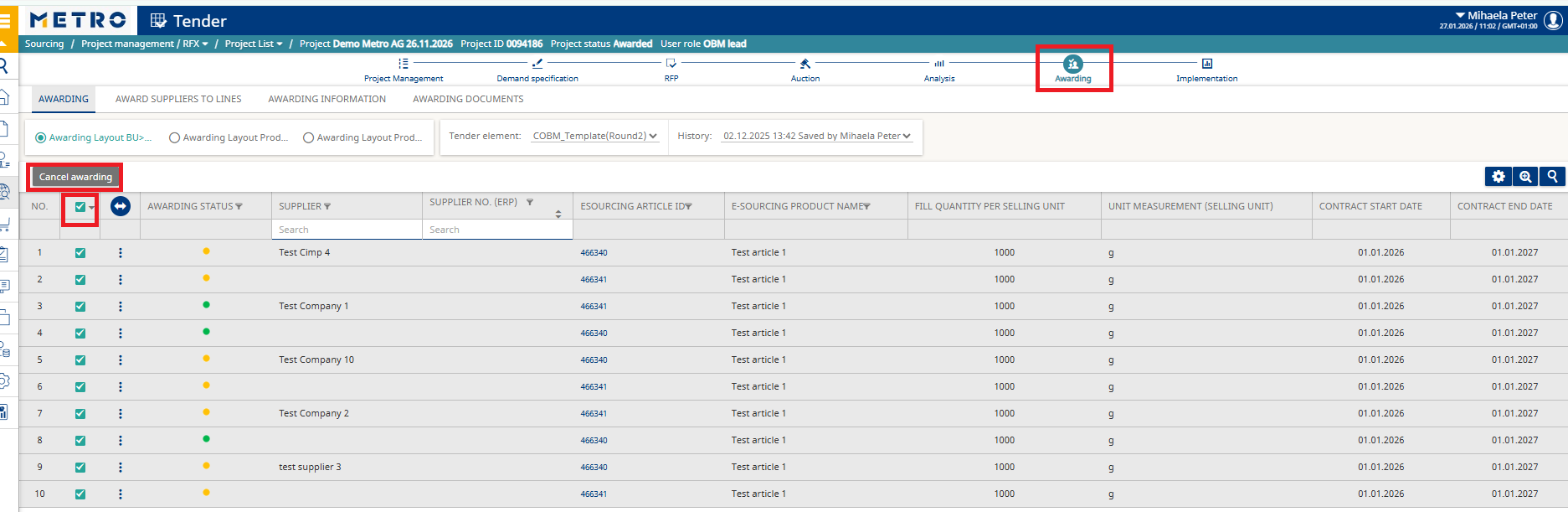
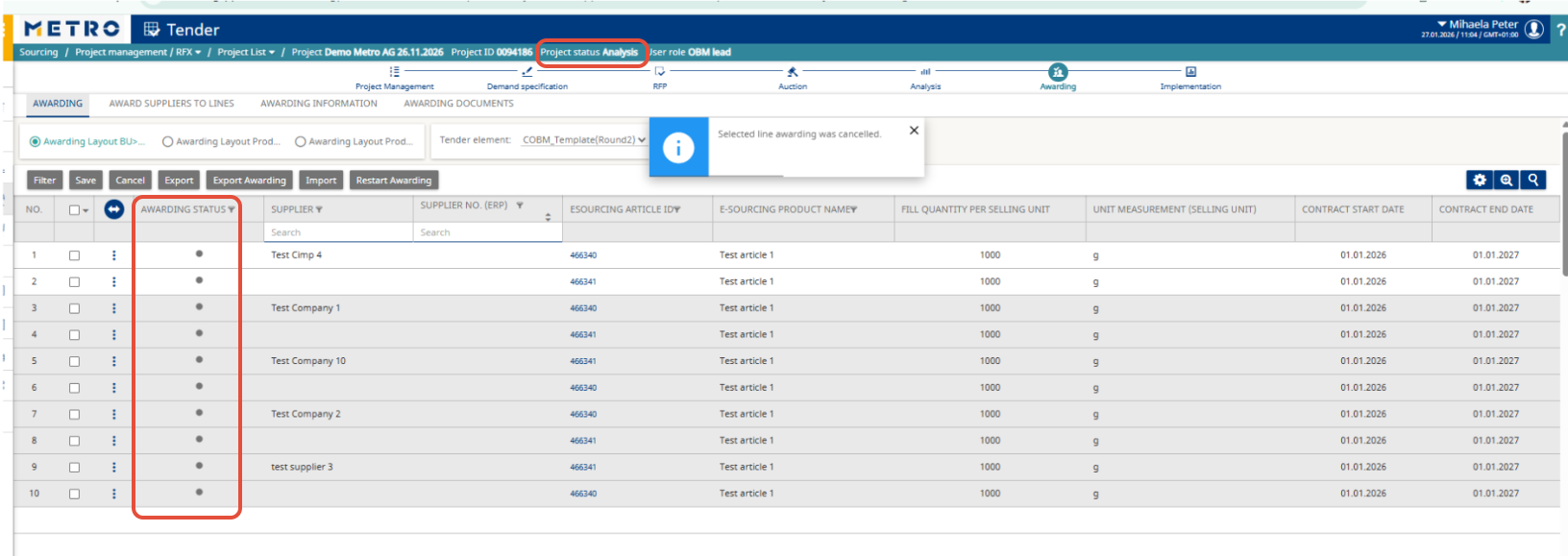
After this action, the awarding status for all articles will change:
- Awarded (green) → Not yet awarded (grey)
- Not awarded (orange) → Not yet awarded (grey)
2. Next Steps: Re‑Awarding
➡ To award the project again, follow the instructions in:
How to complete awarding for Corporate projects
Important Notes
If you canceled the awarding to modify prices or quantities:
You must follow all steps from How to complete awarding for Corporate projectsIf you canceled the awarding to change suppliers:
You only need to follow Step 4 from How to complete awarding for Corporate projects.