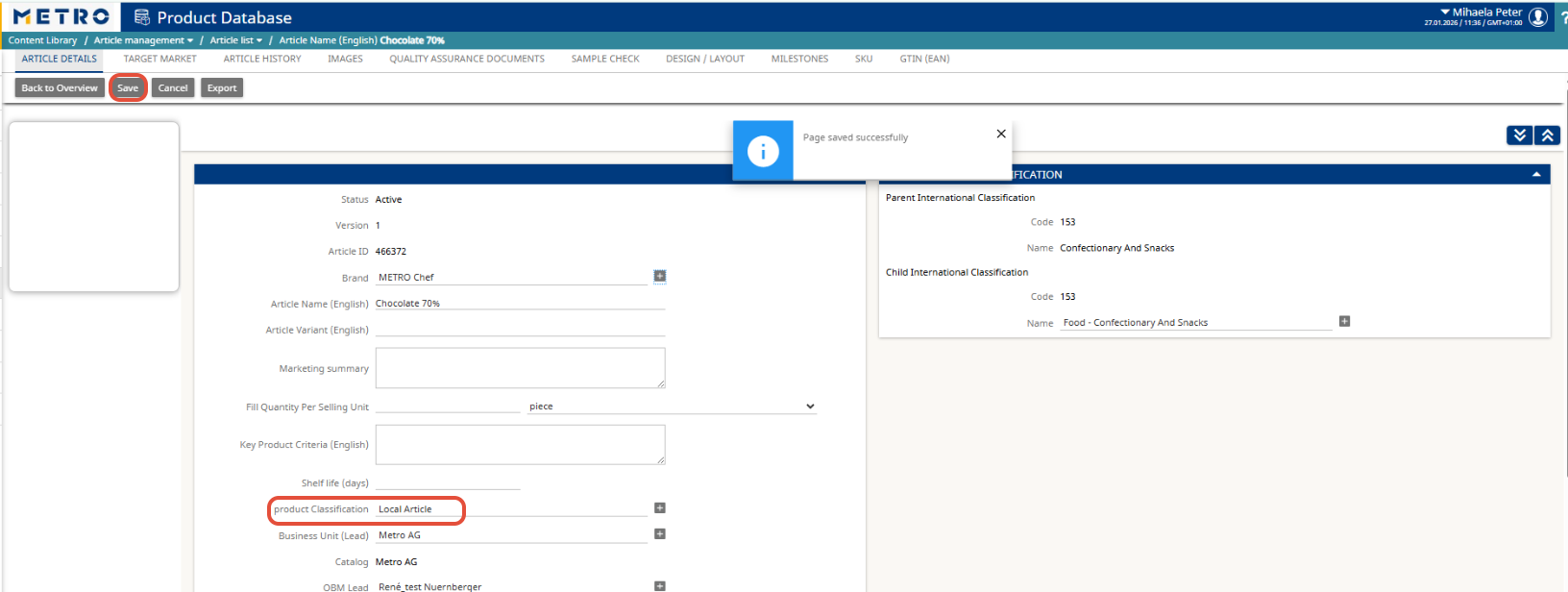
Important Notes
- You can only edit articles that are in Active status.
- If an article is classified as Local, it will not load in MQuality.
1. Open the Article List
You can access the Article List in two ways:
Option A: From the Favorites Bar
- Click Article List directly from your Favorites
Option B: From the Menu
- Go to Content Library
- Select Article Management
- Click Article List
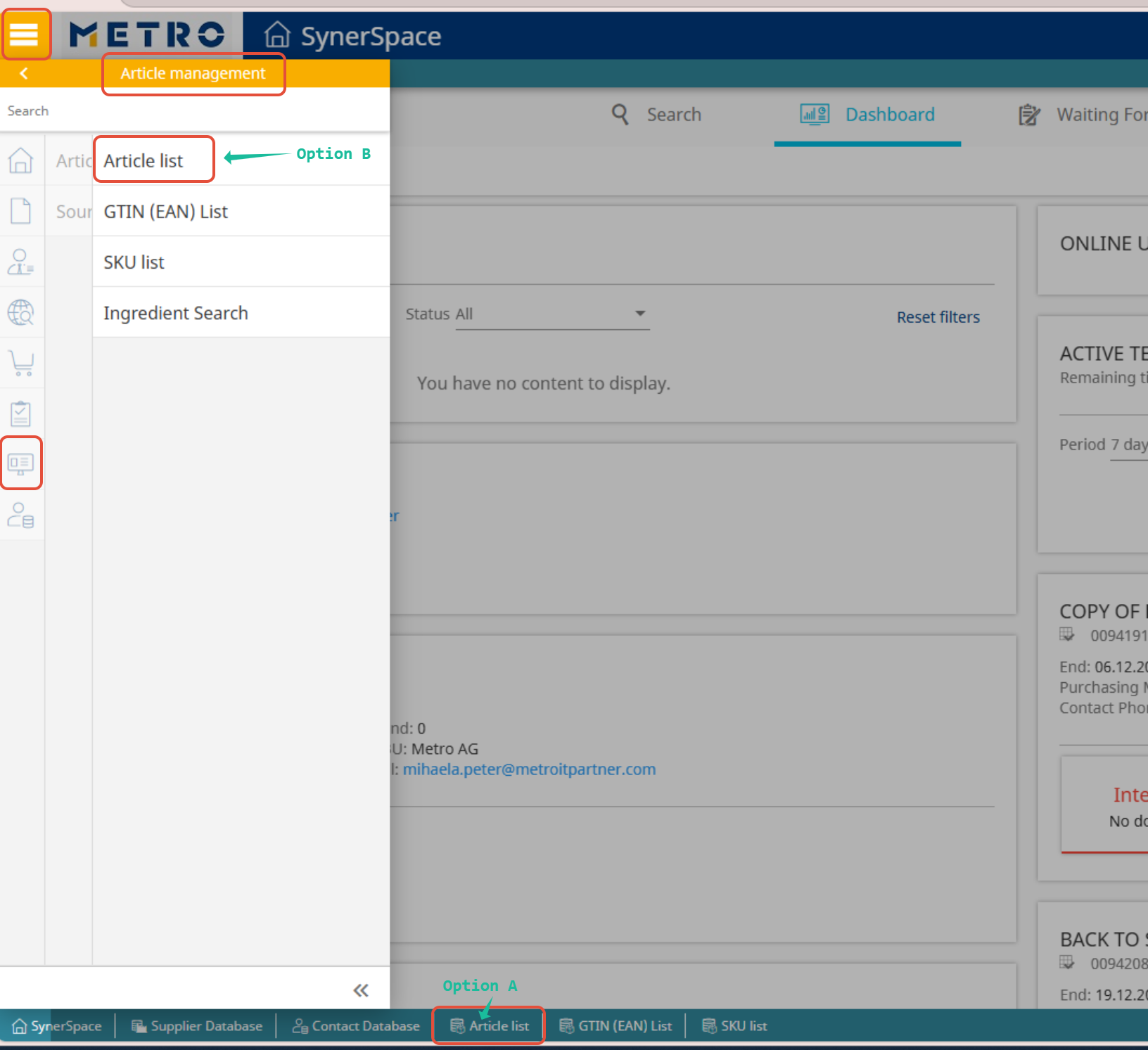
Once opened, search for the article you need to update and open it.

2. Maintain Product Classification
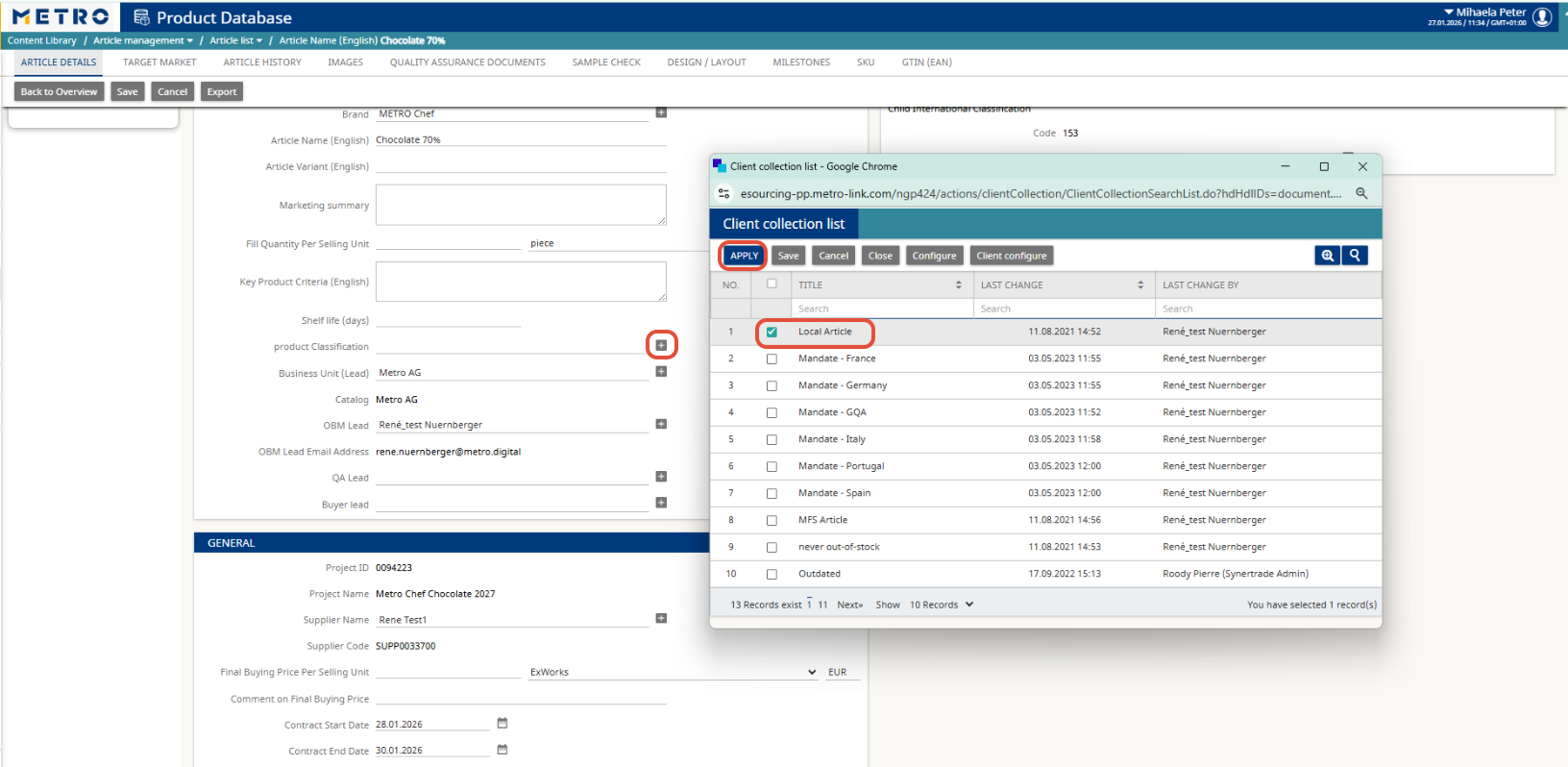
- In the article window, go to Product Classification.
- Click the “+” icon to add or update classifications.
- In the list, select (or unselect) the Local Article classification as needed.
- Click Apply.
3. Save Your Changes
Click Save to confirm and store the updated classification.