
If a supplier contact was previously invited to register as a listed supplier but did not complete the registration within 5 days, the invitation will automatically be marked as Expired.
If needed, you can quickly resend the invitation by following these steps:
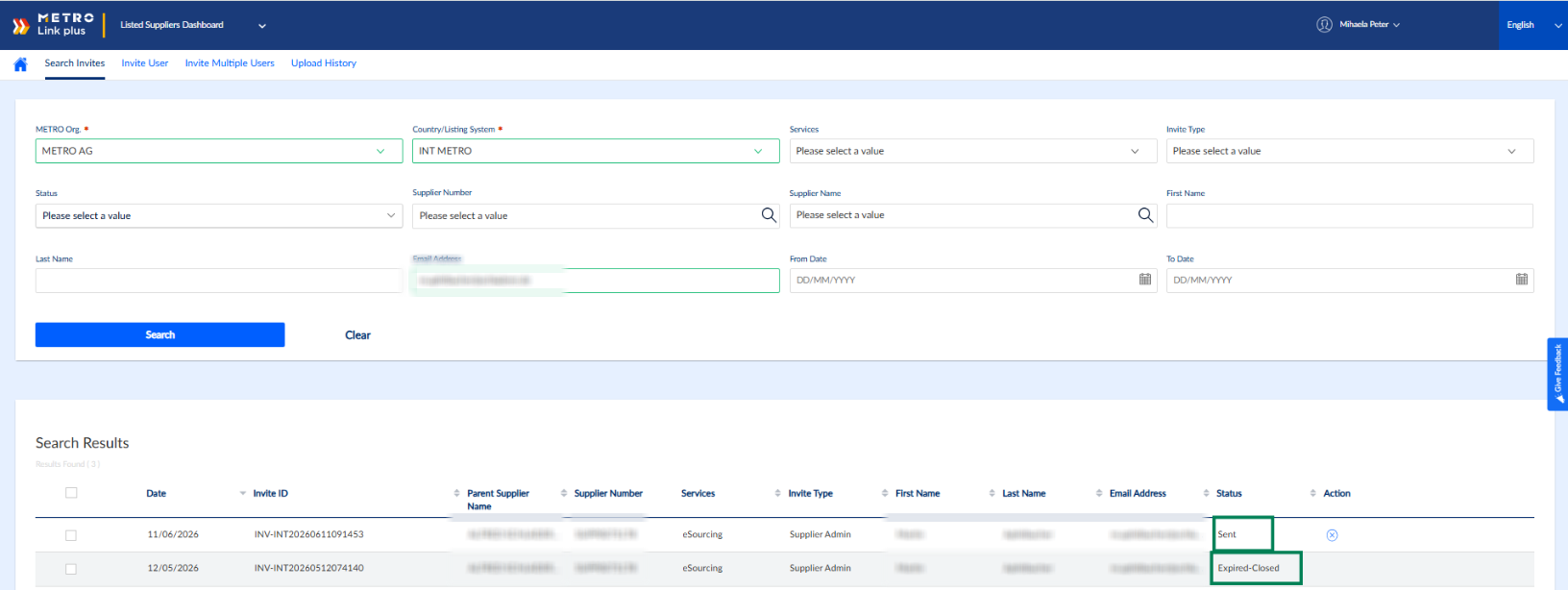
1. Navigate to the Search Invites section under MLP Invitations
2. Set the Search Filters
- Metro Org: Select METRO AG
- Company/Listing System: Select INT METRO
- Services: Select eSourcing
- Enter the supplier’s email address in the Email Address field.
- Click Search.
3. Check the Invitation Status
- In the search results, look for the supplier’s invitation.
- Confirm that the Status is marked as Expired.
4. Resend the Invitation
- Click the arrow icon labeled "Resend" next to the expired invitation.
- The invitation will be resent to the supplier.
Note: When the Resend button is clicked, the expired invitation is automatically updated to Expired–Closed status. A new invitation is then triggered and becomes visible in the system with the status Sent.
The supplier will receive a new email with the invitation to register in MLP. The newly generated invitation is valid for 5 days.
For any further questions do not hesitate to contact us.